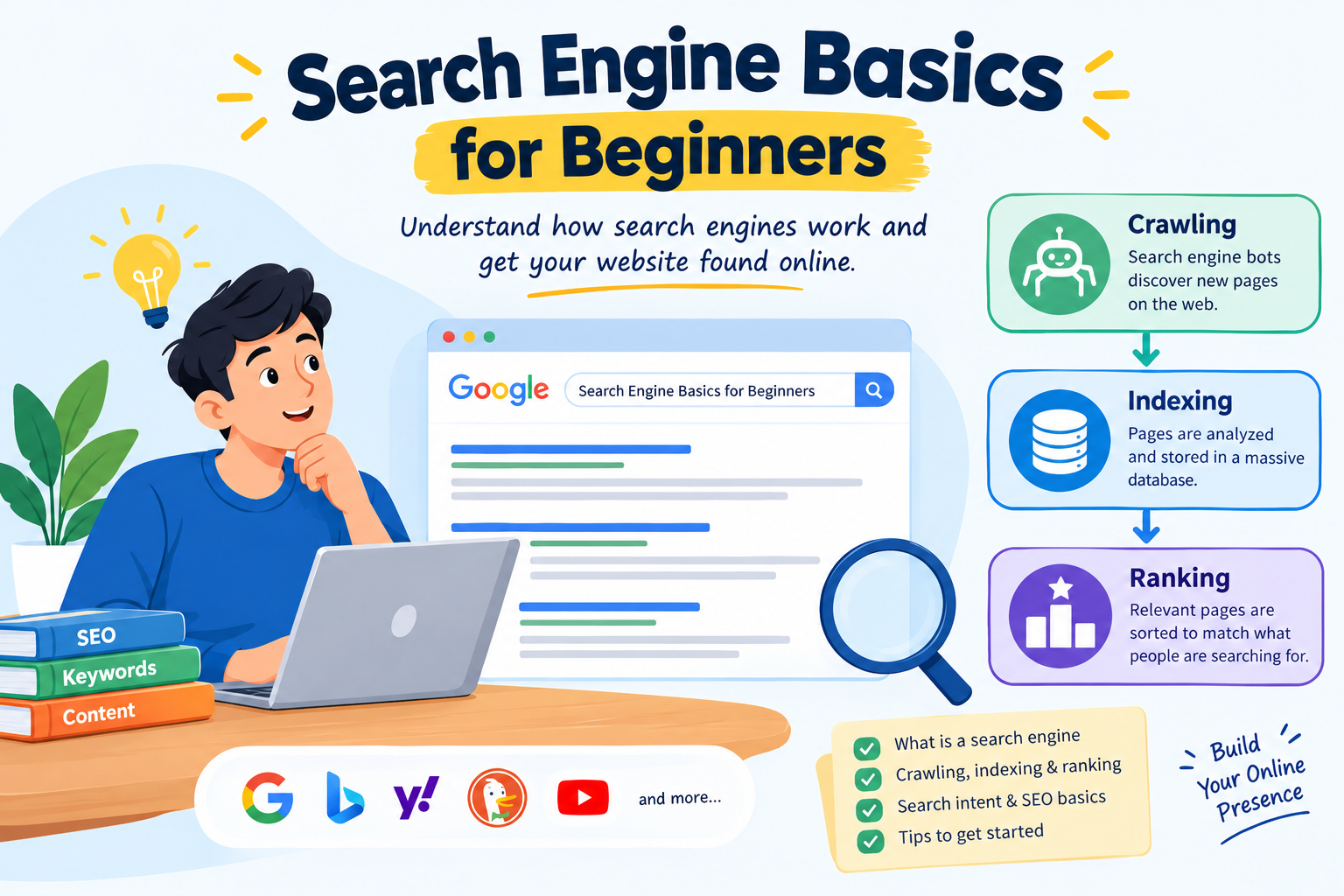
Search engine basics for beginners are the first thing every blogger, website owner and online business starter should learn. Every day, billions of people type questions into Google and get answers in under a second. If you want those people to find your website, you need to understand how a search engine discovers, stores and ranks pages.
In this guide you will learn what a search engine is, how crawling, indexing and ranking work, why search intent matters, and which SEO steps to take first. Every section has practical examples and tables so the details are easy to scan and remember.
Table of Contents
What Is a Search Engine?
Simple Definition
A search engine is software that helps people find information on the internet. You enter a word or phrase, called a query, and the engine returns web pages, images, videos or other results that best match it.
Think of it as a giant librarian. Instead of walking through shelves yourself, you tell the librarian what you need and they point you to the most useful books. The difference is that this librarian has read billions of pages and updates its knowledge constantly.
Popular Search Engines
Google is the market leader, but each engine has its own strengths.
| Search Engine | Focus | Notable Feature |
|---|---|---|
| General search worldwide | Largest index, Search Console tools, AI features | |
| Bing | General search | Integrated with Microsoft products |
| Yahoo | General search | Results largely powered by other engines |
| DuckDuckGo | Privacy-focused search | Does not build personal profiles of users |
| Yandex | Russia and nearby regions | Strong local-language results |
| Baidu | China | Optimized for Chinese-language content |
| YouTube | Video search | A major search platform for video content |
Most beginners start with Google, because the same principles apply to almost every other engine.
Search Engine vs Browser
Many beginners confuse these two.
| Term | What It Is | Examples |
|---|---|---|
| Browser | An app used to open websites | Chrome, Safari, Firefox, Edge |
| Search engine | A service that helps you find web pages | Google, Bing, DuckDuckGo |
You use a browser to visit a search engine, and the search engine then helps you find other websites.
A Short History of Search Engines
Knowing the history shows why modern engines care so much about quality.
| Period | Development | Why It Mattered |
|---|---|---|
| Early 1990s | Tools like Archie indexed file names | Proved automated indexing was possible |
| Mid 1990s | Yahoo Directory, AltaVista, Lycos | Users could browse or search a growing web |
| 1998 | Google launches with PageRank | Used links as votes of trust, giving better results |
| 2000s | Search ads and local search grow | Search became a major marketing channel |
| 2010s | Mobile, voice and semantic search | Engines began to understand meaning, not just keywords |
| 2020s | AI summaries and conversational search | Results increasingly answer questions directly |
How Search Engines Work for Beginners
Search engines work in three main stages: crawling, indexing and ranking. This is the foundation of everything in SEO.
Stage 1: Crawling
Crawling is the discovery process. Search engines send automated programs called crawlers, spiders or bots across the web. Google’s crawler is called Googlebot.
Crawlers start with a list of known addresses, visit those pages, read the content and follow every link they find. Links are the roads that bots travel on.
| Crawling Factor | What It Means | What You Can Do |
|---|---|---|
| Internal links | Pages linked from other pages are easier to find | Link every new post from at least one older post |
| XML sitemap | A file listing your important pages | Generate one and submit it in Search Console |
| Robots.txt | Tells crawlers which areas to visit or skip | Make sure you are not blocking important pages |
| Server speed | Slow or unstable sites get crawled less | Choose reliable hosting |
| Crawl budget | How many pages a bot will crawl on your site | Remove junk pages and fix broken links |
Practical example: Imagine you publish a new article but do not link to it from anywhere. Googlebot has no road leading to it, so discovery can take a long time. If you link it from your homepage or a related article and submit your sitemap, discovery is usually much faster.
Stage 2: Indexing
After crawling a page, the engine analyzes its text, headings, images, videos, links and technical tags, then stores the information in a huge database called the index. If a page is not in the index, it cannot appear in search results.
Crawled does not always mean indexed. Pages may be left out for these reasons:
| Reason | Explanation |
|---|---|
| Thin content | Too little useful information |
| Duplicate content | Very similar to another page |
| Noindex tag | You told search engines not to index it |
| Quality issues | Low value, spam or unreadable content |
| Blocked access | Page needs login or is blocked by robots.txt |
How to check: Open Google Search Console, paste the page address into the URL Inspection tool and see whether the page is indexed. You can also search site:yourwebsite.com in Google to see which pages appear.
[YOUR EXPERIENCE: Write how many days Google took to index your first article, what you did to speed it up, and what worked.]
Stage 3: Ranking
When someone searches, the engine pulls relevant pages from its index and sorts them using many signals. Nobody outside the search companies knows the exact formula, but the main categories are well understood.
| Ranking Factor | What It Means | Beginner Tip |
|---|---|---|
| Relevance | How well content matches the query | Use the words your audience uses in headings and text |
| Content quality | Depth, accuracy and usefulness | Answer the question completely |
| Backlinks | Links from other trusted sites | Create content worth referencing |
| Page experience | Speed, mobile-friendliness, security | Use a fast, mobile-ready design with HTTPS |
| Freshness | How recently content was updated | Update pages when facts change |
| Location | Searcher’s country or city | Matters most for local businesses |
| User context | Language and device | Make sure your site works on every device |
The Three Stages at a Glance
| Stage | What Happens | Your Goal |
|---|---|---|
| Crawling | Bots discover pages by following links | Make pages easy to reach |
| Indexing | Content is analyzed and stored | Publish unique, useful, readable content |
| Ranking | Pages are ordered for each query | Match search intent better than competitors |
Understanding the Search Engine Results Page (SERP)
The SERP is the page you see after searching. It is no longer just ten blue links. Different features appear for different queries.
| SERP Feature | Description | Example Query |
|---|---|---|
| Organic results | Standard unpaid listings | “how to start a blog” |
| Paid ads | Sponsored results marked as ads | “buy running shoes” |
| Featured snippet | Highlighted answer box at the top | “what is a sitemap” |
| People Also Ask | Expandable related questions | “how does SEO work” |
| Image and video results | Visual content blocks | “easy rangoli designs” |
| Local pack | Map with nearby businesses | “restaurants near me” |
| Knowledge panel | Information box about a person, place or brand | A famous person’s name |
| AI overview | Generated summary above results | Broad informational questions |
A clear, short definition near the top of your article can help it qualify for a featured snippet.
Understanding Search Intent
Search intent is the reason behind a query. If your page does not match what the searcher wants, it will struggle to rank, however well optimized it is.
The Four Types of Search Intent
| Intent Type | What the User Wants | Example Queries | Best Content Type |
|---|---|---|---|
| Informational | To learn something | “what is SEO”, “how to make tea” | Guides, tutorials, articles |
| Navigational | To reach a specific site | “YouTube”, “Facebook login” | Clear brand pages |
| Commercial | To compare before buying | “best budget laptops”, “Canon vs Nikon” | Reviews, comparisons, lists |
| Transactional | To buy or take an action | “buy tea online”, “download invoice template” | Product or service pages |
Practical Example: Reading Intent from a Keyword
Take three searches about the same topic, tea:
| Search | Intent | What Google Shows | What You Should Write |
|---|---|---|---|
| “how to make tea” | Informational | Recipes, videos, step-by-step guides | A clear how-to article |
| “best tea brands” | Commercial | Listicles and review pages | A comparison with pros and cons |
| “buy tea online” | Transactional | Shops and product pages | A product or category page |
The topic is the same, but the right page is completely different each time.
How to Check Intent Yourself
- Search your target keyword in Google.
- Look at the first page of results.
- Note the format: guides, product pages, videos or lists.
- Create content in the same format, but make it clearer, more complete or more useful.
What Is SEO?
SEO stands for Search Engine Optimization. It is the practice of improving your website so it appears higher in unpaid search results and attracts visitors who are genuinely interested in your content. Good SEO is not about tricking search engines. It makes your site clearer for both people and bots.
Why SEO Matters
| Benefit | Explanation |
|---|---|
| Long-term traffic | One well-ranked page can bring visitors for years |
| Trust | People tend to trust organic results more than ads |
| Right audience | You reach people exactly when they are searching |
| Lower cost over time | You do not pay for every click |
| Compounding growth | Each new useful page adds to your site’s strength |
Types of SEO
| Type | Focus | Example Tasks |
|---|---|---|
| On-page SEO | Content and elements on your pages | Titles, headings, keywords, internal links, alt text |
| Technical SEO | Site structure and performance | Speed, mobile design, HTTPS, sitemap, crawl errors |
| Off-page SEO | Signals from outside your site | Backlinks, brand mentions |
| Local SEO | Visibility in a specific area | Google Business Profile, local listings, reviews |
| Content SEO | Planning and creating helpful content | Topic research, content calendar, updates |
SEO vs SEM
| Term | Meaning | Cost |
|---|---|---|
| SEO | Improving unpaid, organic visibility | Time and effort |
| SEM | Search marketing, usually paid ads plus SEO | Pay per click |
Keywords: The Language of Search
Keywords are the words and phrases people type into search engines. Choosing the right ones connects your content with your audience.
Types of Keywords
| Keyword Type | Description | Example | Competition |
|---|---|---|---|
| Short-tail | One or two broad words | “SEO” | Very high |
| Long-tail | Longer, specific phrases | “SEO basics for new bloggers” | Lower |
| Branded | Include a company or site name | “Google Search Console” | Depends on brand |
| Question-based | Start with who, what, how, why | “how does Google rank pages” | Moderate |
| Local | Include a place | “SEO course in Lucknow” | Low to moderate |
Beginners usually do better with long-tail keywords, because competition is lower and intent is clearer.
How to Do Keyword Research
- Brainstorm topics your audience might want to know.
- Use Google’s suggestions: autocomplete, People Also Ask and related searches show real queries.
- Check a keyword tool for estimated search volume and difficulty.
- Study the competition: see who ranks and how strong their content is.
- Pick one main keyword per page and add related phrases naturally.
Useful Keyword Research Tools
| Tool | Cost | Best For |
|---|---|---|
| Google Search Console | Free | Seeing queries that already bring you visitors |
| Google Keyword Planner | Free with an Ads account | Search volume ideas |
| Google Trends | Free | Comparing popularity over time |
| AnswerThePublic | Free and paid | Question-style keyword ideas |
| Ubersuggest | Free and paid | Beginner-friendly keyword data |
| Ahrefs / Semrush | Paid | Advanced research and competitor analysis |
Mini Case Study Template
Use this to show readers a real example from your own site:
| Item | Your Details |
|---|---|
| Keyword chosen | [Add your keyword] |
| Search intent | [Informational / commercial / etc.] |
| Title and URL used | [Add title and URL] |
| Date published | [Add date] |
| Date indexed | [Add date] |
| First impressions in Search Console | [Add date and number] |
| Result after 30 / 60 / 90 days | [Add real numbers] |
[YOUR EXPERIENCE: Add a screenshot of your Search Console Performance report here and explain what it taught you.]
On-Page SEO: Optimizing Your Content
On-page SEO means improving the visible and underlying parts of each page. It is where beginners often see the quickest gains.
On-Page SEO Checklist
| Element | Best Practice | Why It Helps |
|---|---|---|
| Title tag | Main keyword near the start, about 60 characters | It is the clickable headline in results |
| Meta description | Clear summary, about 150 to 160 characters | Encourages clicks |
| H1 heading | One H1 per page stating the topic | Tells readers and bots the main subject |
| H2 and H3 headings | Logical sections | Improves readability and structure |
| URL | Short, lowercase, with hyphens | Easy to understand and share |
| Body content | Original, accurate, complete | Satisfies search intent |
| Internal links | Link to related pages on your site | Helps crawling and spreads authority |
| Image alt text | Briefly describe each image | Helps accessibility and image search |
| Image size | Compress before uploading | Keeps pages fast |
Before and After: Title and URL Example
| Element | Weak Version | Better Version |
|---|---|---|
| Title | “Post 1” | “Search Engine Basics for Beginners: A Complete Guide” |
| URL | /p=123 | /search-engine-basics-for-beginners |
| Meta description | (empty) | “Learn how crawling, indexing and ranking work, plus the first SEO steps to take.” |
Writing Content That Ranks
- Answer early. Give the main answer near the top, then add detail.
- Use simple language. Short sentences and common words help every reader.
- Add structure. Headings, lists and tables make pages easy to scan.
- Be original. Add your own examples, screenshots and lessons.
- Keep it accurate. Check facts and update old information.
- Write for people first. Use keywords naturally and never force them.
Keyword Placement Guide
| Location | Use the Keyword? |
|---|---|
| Title tag | Yes, preferably near the beginning |
| H1 heading | Yes |
| First paragraph (first 100 words) | Yes, naturally |
| Some H2 or H3 headings | Yes, where it fits |
| URL | Yes, in short form |
| Image alt text | Yes, if it describes the image |
| Every sentence | No, this is keyword stuffing |
Technical SEO: Helping Search Engines Access Your Site
Technical SEO makes sure nothing blocks crawling and indexing. You do not need to be a developer, but you should know the basics.
| Technical Area | What to Check | Simple Fix |
|---|---|---|
| Site speed | How fast pages load | Compress images, use caching, choose good hosting |
| Mobile-friendliness | Layout on phones | Use a responsive theme |
| HTTPS | Secure connection | Install an SSL certificate |
| XML sitemap | List of important pages | Generate with a plugin, submit in Search Console |
| Robots.txt | Rules for crawlers | Do not block important pages |
| Broken links | Links to missing pages | Fix or remove them |
| Duplicate content | Same content on several URLs | Use canonical tags or merge pages |
| Structured data | Code that describes content | Add schema markup where relevant |
| Site structure | How pages connect | Keep key pages within a few clicks of the homepage |
Core Web Vitals
Google measures page experience with Core Web Vitals, which focus on loading speed, responsiveness and visual stability.
| Metric | What It Measures | Good Target |
|---|---|---|
| Largest Contentful Paint (LCP) | How quickly the main content loads | 2.5 seconds or less |
| Interaction to Next Paint (INP) | How quickly the page reacts to taps and clicks | 200 milliseconds or less |
| Cumulative Layout Shift (CLS) | How much the layout jumps while loading | 0.1 or less |
You can test these for free with PageSpeed Insights.
Off-Page SEO: Building Authority and Trust
Off-page SEO covers actions outside your site that influence how search engines see it. The most important factor is backlinks.
What Are Backlinks?
A backlink is a link from another website to yours. When a respected site links to you, it signals that your content is worth referencing. Quality matters far more than quantity: one link from a trusted, relevant site can be worth more than dozens from low-quality pages.
Ways to Earn Backlinks
| Method | How It Works | Difficulty |
|---|---|---|
| Helpful content | Others link to useful guides, data and tools | Medium |
| Guest posting | Write for relevant sites in your niche | Medium |
| Digital PR | Share newsworthy stories or research | Hard |
| Directory and profile listings | List your site in trusted, relevant places | Easy |
| Broken link outreach | Offer your page to replace a dead link | Medium |
| Social sharing | Spreads content, which may lead to natural links | Easy |
Practices to Avoid
| Practice | Risk |
|---|---|
| Buying links in bulk | Can lead to penalties |
| Link exchange schemes | Seen as manipulation |
| Comment and forum spam | Low value and often ignored |
| Automated link-building software | Creates spammy links |
Content Quality and E-E-A-T
Google’s quality guidelines use the concept E-E-A-T: Experience, Expertise, Authoritativeness and Trustworthiness. It is not a single ranking score, but it describes what Google wants to reward.
| Component | Meaning | How to Show It |
|---|---|---|
| Experience | First-hand knowledge | Share real examples, photos and lessons learned |
| Expertise | Skill and knowledge in the subject | Write accurate, detailed content with an author bio |
| Authoritativeness | Recognition as a go-to source | Earn mentions and links from respected sites |
| Trustworthiness | Honest, safe and reliable | Cite sources, show contact details, use HTTPS |
Trust matters most. Pages about health, money or safety are held to an especially high standard.
Measuring Progress: Search Console and Analytics
You cannot improve what you do not measure. Two free Google tools cover everything a beginner needs.
Google Search Console
| Report | What It Tells You |
|---|---|
| Performance | Clicks, impressions, average position and CTR by query and page |
| Pages (Indexing) | Which pages are indexed and why others are not |
| Sitemaps | Whether your sitemap was read successfully |
| Core Web Vitals | Speed and experience issues |
| Security issues | Hacking or malware warnings |
Google Analytics
| Metric | Meaning |
|---|---|
| Users | Number of people visiting |
| Sessions | Number of visits |
| Engagement rate | Share of visits where people stayed or interacted |
| Traffic sources | Organic, social, direct or referral |
| Top pages | Your most popular content |
Key SEO Metrics to Watch
| Metric | Why It Matters |
|---|---|
| Impressions | How often your pages appear in results |
| Clicks | How many people choose your page |
| Click-through rate (CTR) | A low CTR may mean your title or description needs work |
| Average position | Your general ranking level |
| Indexed pages | Confirms Google can include your content |
Common Beginner Mistakes in SEO
| Mistake | Why It Hurts | Better Approach |
|---|---|---|
| Keyword stuffing | Unreadable and can trigger penalties | Use keywords naturally |
| Copying content | Offers no unique value | Write original material |
| Ignoring search intent | Visitors leave quickly | Match the format searchers expect |
| Neglecting mobile users | Most searches happen on phones | Test on real devices |
| Slow pages | Visitors leave | Optimize images and hosting |
| Skipping titles and descriptions | Missed clicks | Write clear, appealing snippets |
| Expecting instant results | Leads to giving up early | Plan for months, not days |
| No internal linking | Pages stay hidden | Link related pages together |
| Targeting only hard keywords | Little chance to rank | Start with long-tail topics |
[YOUR EXPERIENCE: Add 1 to 3 mistakes you made when you started, and how you fixed them. Honest personal lessons make this article stand out from other guides.]
SEO Myths Debunked
| Myth | Reality |
|---|---|
| “More keywords mean higher rankings” | Overuse hurts; relevance and quality matter more |
| “You can pay Google to rank organically” | Ads and organic results are separate |
| “SEO is a one-time job” | Results and competitors keep changing |
| “Meta descriptions are direct ranking factors” | They mainly influence clicks |
| “Longer articles always rank better” | Completeness matters, not word count alone |
| “Social likes boost rankings directly” | Social activity helps exposure but is not a direct factor |
| “Once ranked, always ranked” | Rankings move as content ages and competitors improve |
How Long Does SEO Take?
Results depend on competition, site age and content quality. These are general expectations, not guarantees.
| Timeframe | What You May See |
|---|---|
| Weeks 1 to 4 | Site is crawled and first pages are indexed |
| Months 2 to 3 | Some long-tail keywords show impressions |
| Months 4 to 6 | Steady growth if content is consistent |
| Months 6 to 12 | Stronger rankings, more backlinks, growing authority |
| Beyond 12 months | Compounding results from a strong content library |
Step-by-Step Beginner Action Plan
| Step | Action | Outcome |
|---|---|---|
| 1 | Choose a clear niche and audience | Focused content direction |
| 2 | Build a fast, mobile-friendly site with HTTPS | Solid technical base |
| 3 | Connect Search Console and Analytics | Ability to measure progress |
| 4 | Research long-tail keywords and check intent | A list of realistic topics |
| 5 | Create helpful, original content | Pages that deserve to rank |
| 6 | Optimize titles, descriptions, headings, URLs and images | Clear on-page signals |
| 7 | Add internal links between related pages | Better crawling and navigation |
| 8 | Submit your XML sitemap | Faster discovery |
| 9 | Build quality backlinks gradually | Growing authority |
| 10 | Review data monthly and update content | Continuous improvement |
Frequently Asked Questions
Is SEO free?
Yes, you can do SEO without paid tools or ads. It costs time and effort, and some people choose paid tools to speed up the work.
How often should I publish new content?
Consistency matters more than volume. One quality article a week is better than ten weak ones in a day.
Do I need coding skills for SEO?
No. Most basic SEO tasks can be done with website platforms and plugins. Basic HTML knowledge helps but is not required.
How do I know if my page is indexed?
Use the URL Inspection tool in Google Search Console, or search site: followed by your page address in Google.
Why is my new website not showing in Google?
New sites need time to be discovered and trusted. Check that indexing is not blocked, submit a sitemap and keep publishing useful content.
Which is better for beginners: short-tail or long-tail keywords?
Long-tail keywords. They have lower competition and clearer intent, so new sites have a better chance of ranking.
Conclusion
Search engine basics for beginners come down to three ideas. Search engines crawl the web to discover pages, index what they find, and rank results to match what people are searching for. SEO is simply the practice of making your website easy to find, easy to understand and genuinely helpful.
Focus on a few essentials: understand search intent, target realistic long-tail keywords, write original and useful content, keep your site fast and mobile-friendly, and track your progress in Google Search Console. Avoid shortcuts and be patient, because SEO rewards steady effort over time.
